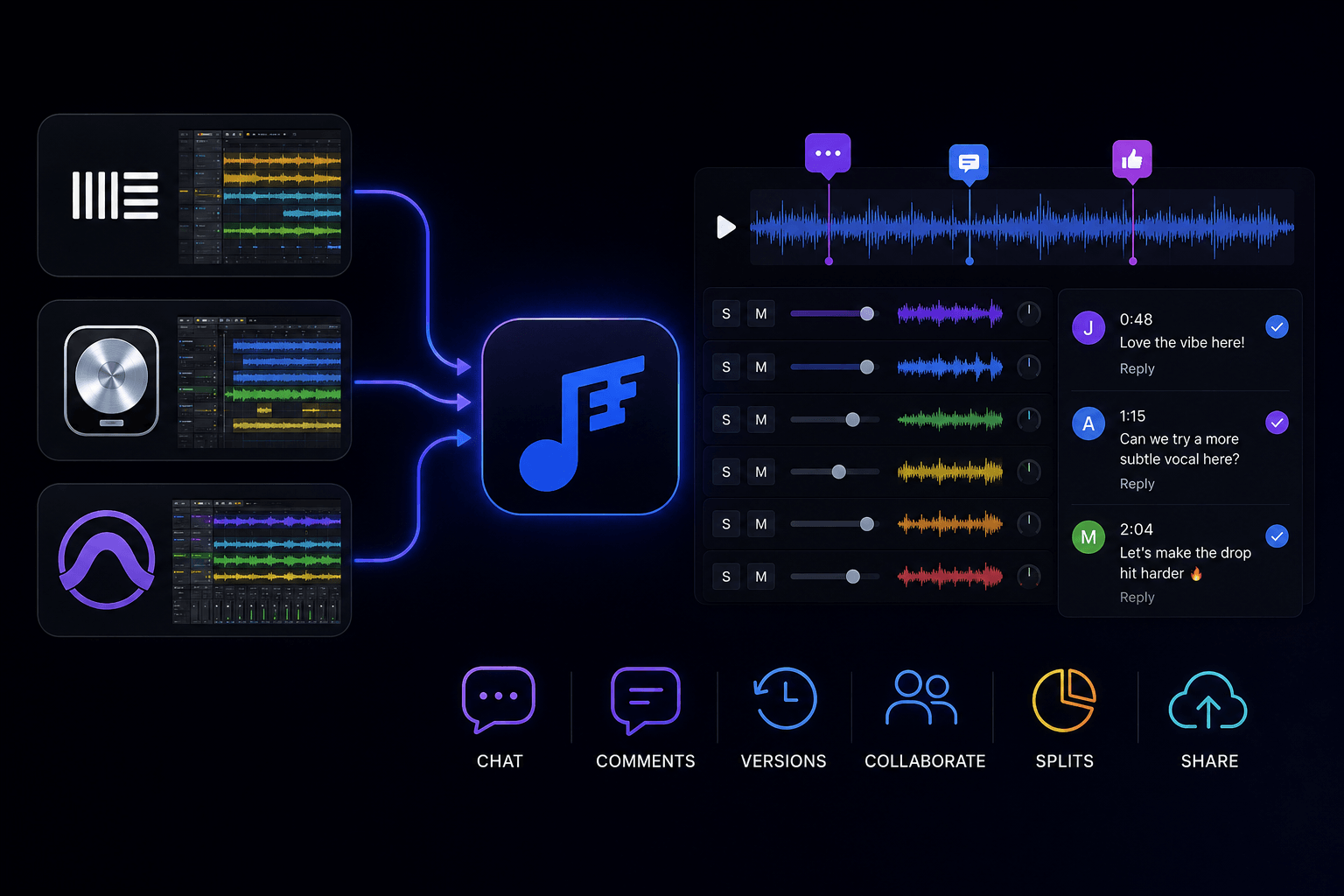
Where Music Collaborations Get Finished.

Jamline handles everything between a DAW bounce and a release. Share stems, give feedback on the waveform, track every version, and agree on the split before you record a note. Keep using DAW you already love.
Header image

What Is Jamline

Every song made by more than one person hits the same wall. The music gets made in a DAW, but the collaboration happens somewhere else. Whatsapp threads, drive folders, WeTransfer links that expire, stems that get lost, feedbacks get vague. Nobody knows which mix is current. We call this gap Post-Bounce, and Jamline is build to close it.
Jamline is not a DAW and does not try to replace yours. Everyone keeps working in Ableton, Logic, Pro tools, FL Studio, or whatever they use. Jamline is the shared layer where the stems come together, the feedback lives, the versions are tracked, and the splits are agreed.
How it works

Mockup

Start Collaboration

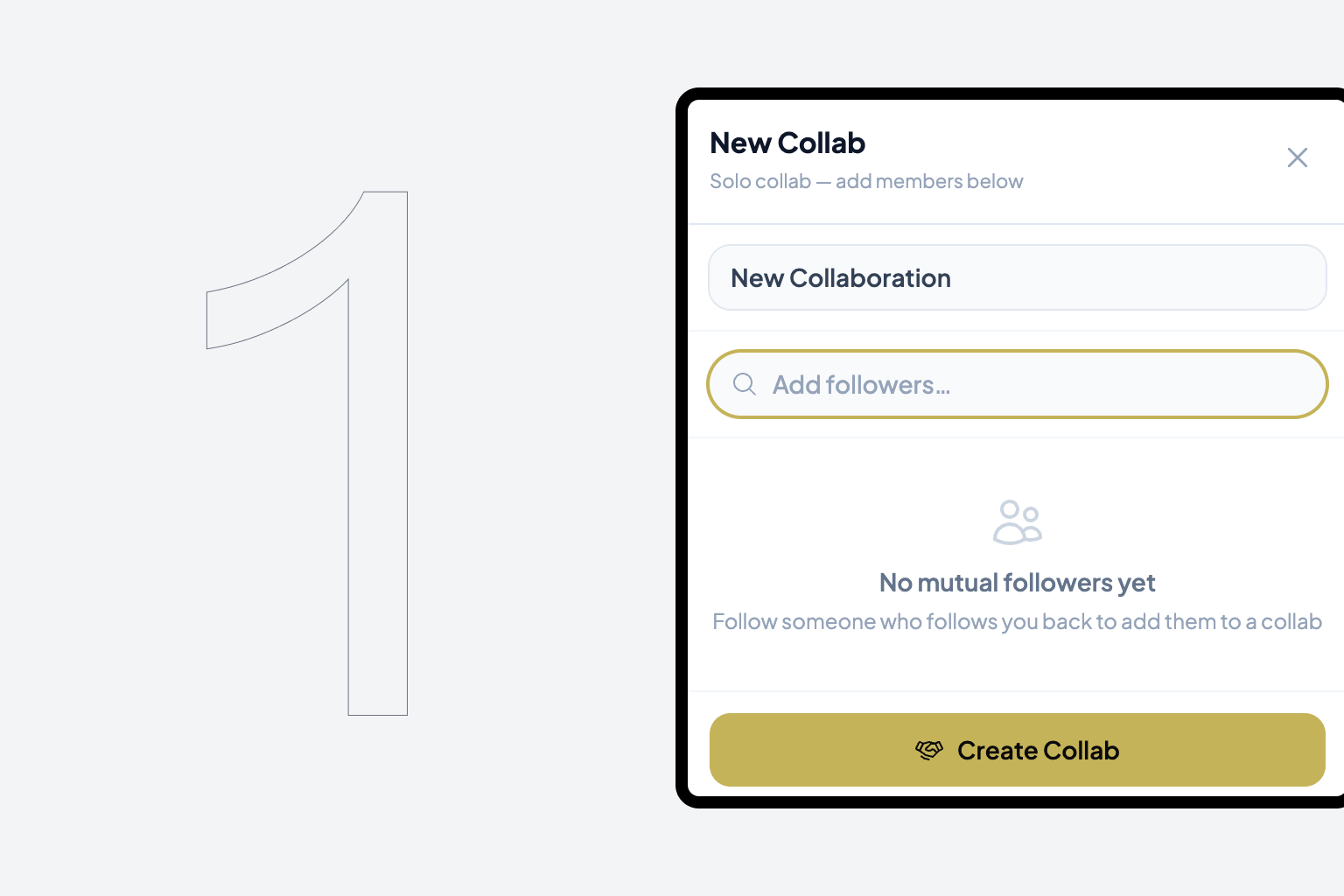
Start a collaboration and invite the people you are working with. Everyone keeps using their own DAW.
Mockup

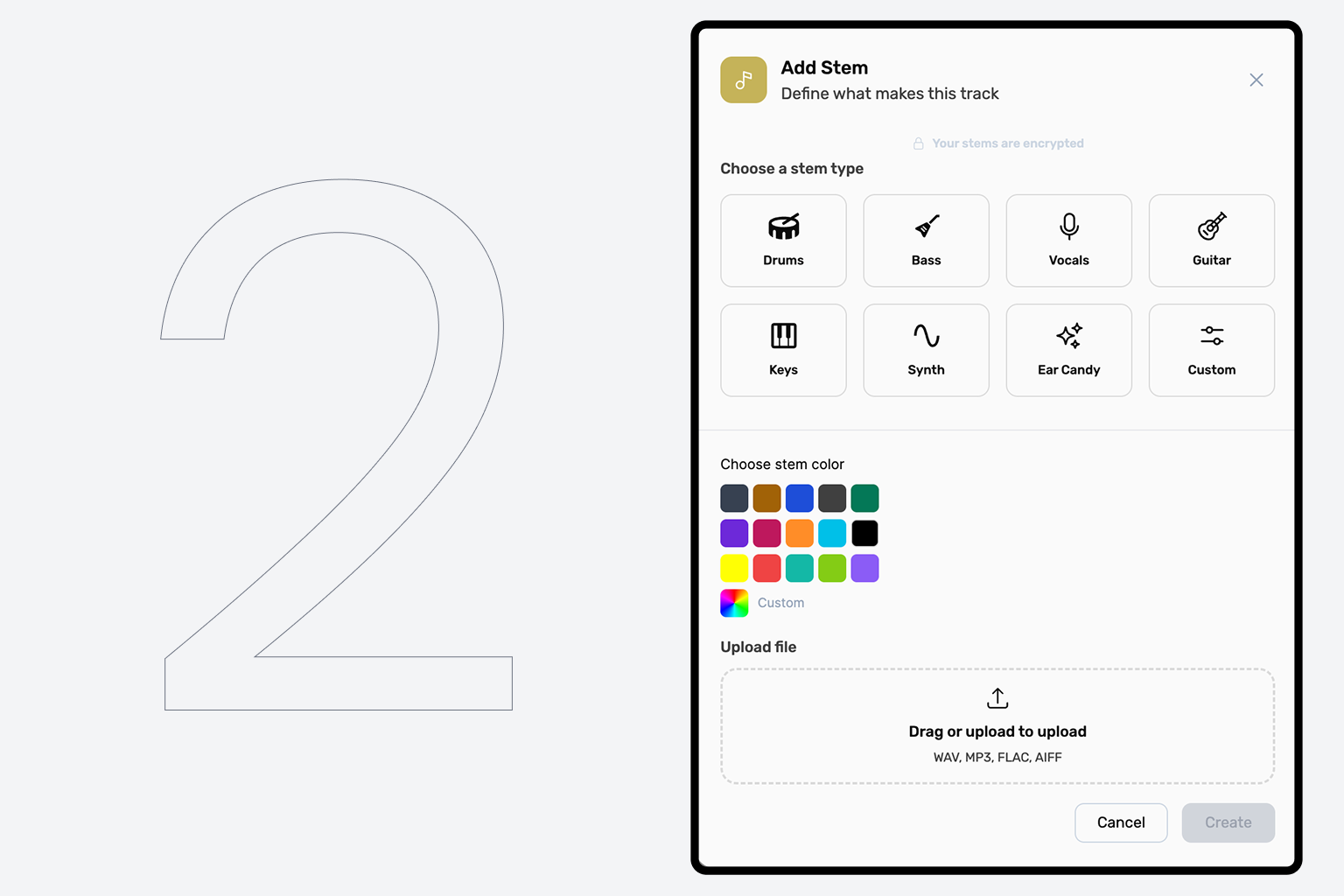
Add Stems

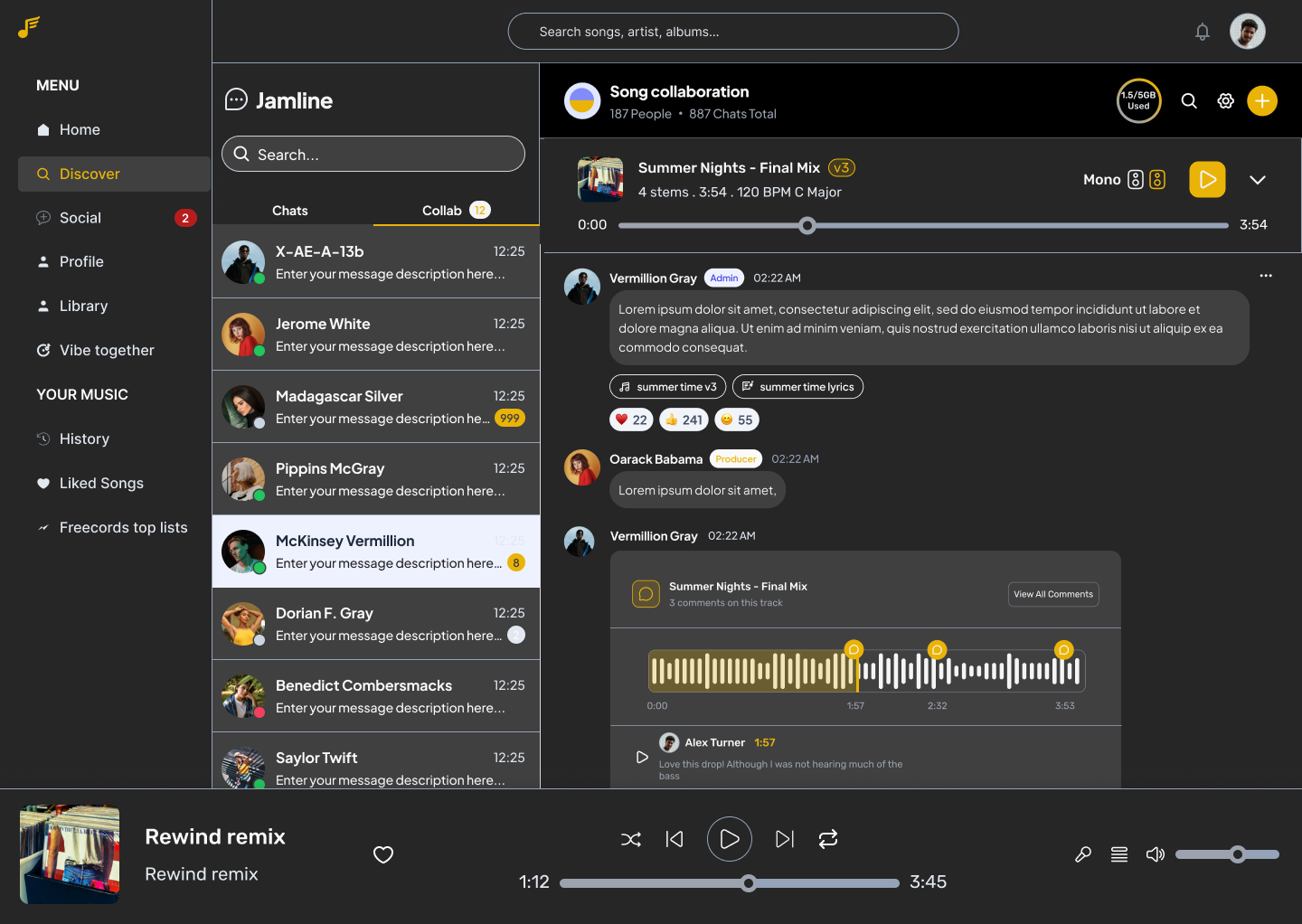
Upload stems, comments on the waveform at the exact second that matters, track every mix version automatically, and agree on the royalty split up front.
Mockup

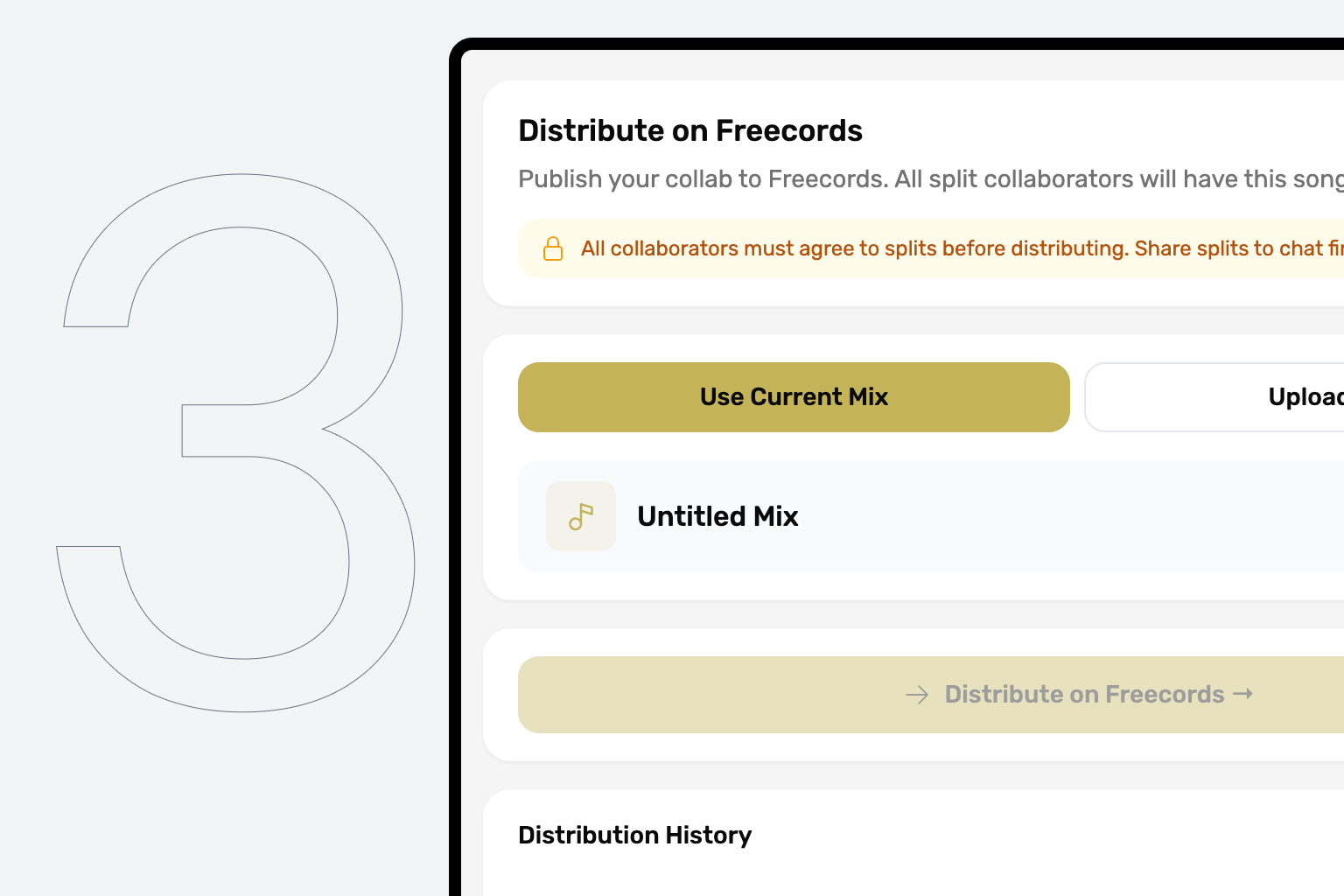
Distribute

When the song is done, distribute it through Freecords. The splits you agreed carry through to the payout automatically.
Features

Cutting-edge features for creating music

Powerful and most effective way to create, brainstorm, share ideas, and distribute your music all in one place without loosing any stem, message, file anywhere, Easily split royalties from day one, and distribute directly from freecords.

Built in chat

Full messaging next to the song — text, voice messages, file transfer, GIFs, emoji, reactions, group chats and direct messages. Everything except video. The conversation lives with the music, not in a separate app.

stem-based collaboration

Upload stems organised into categories and substems. Route them individually into a main mix, all together, or none at all. Per-stem and per-substem controls: volume fader, pan, width, mute, solo, and mono/stereo monitoring. Works with stems from any DAW, because every DAW exports them.

Comment on waveform

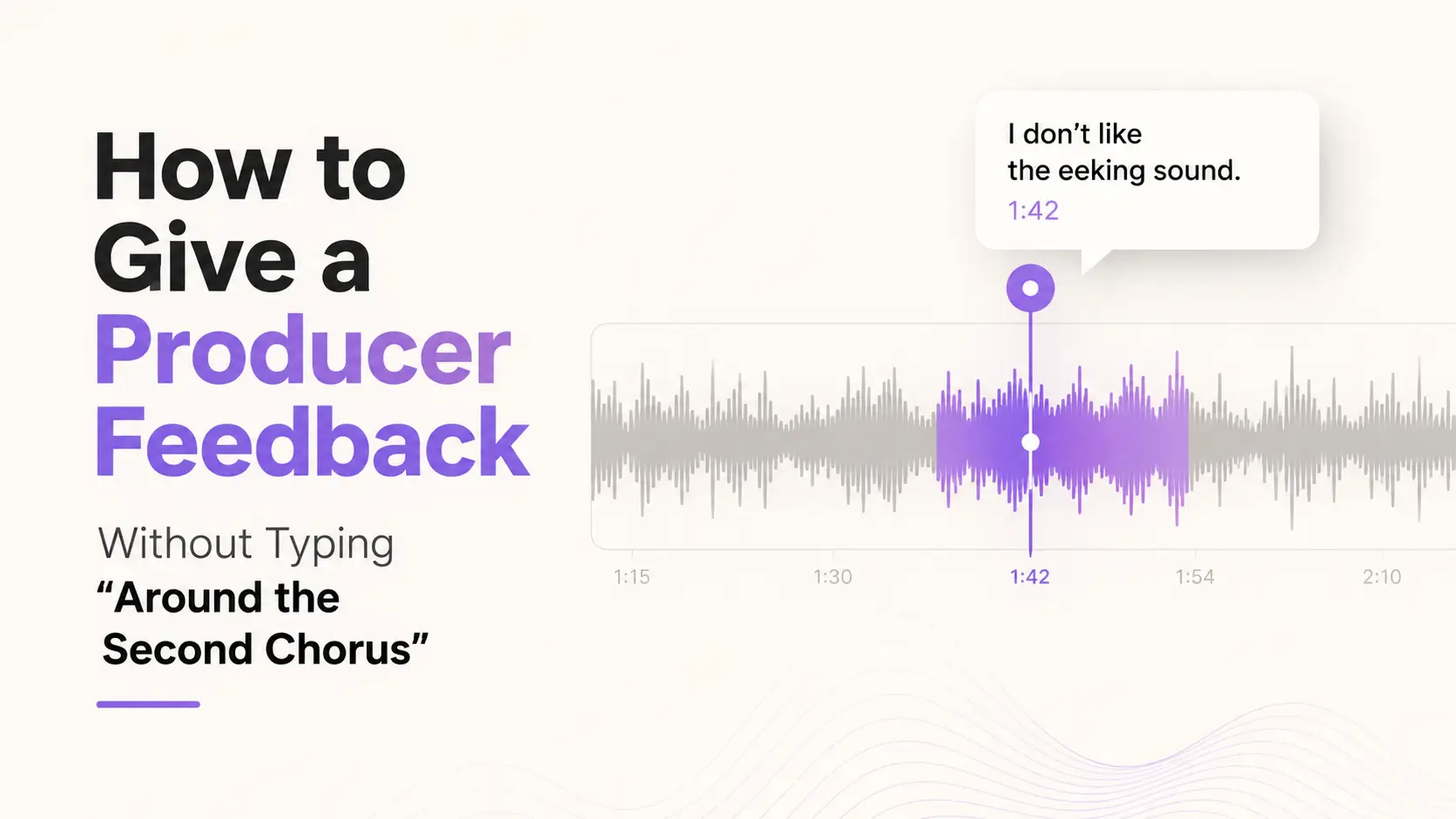
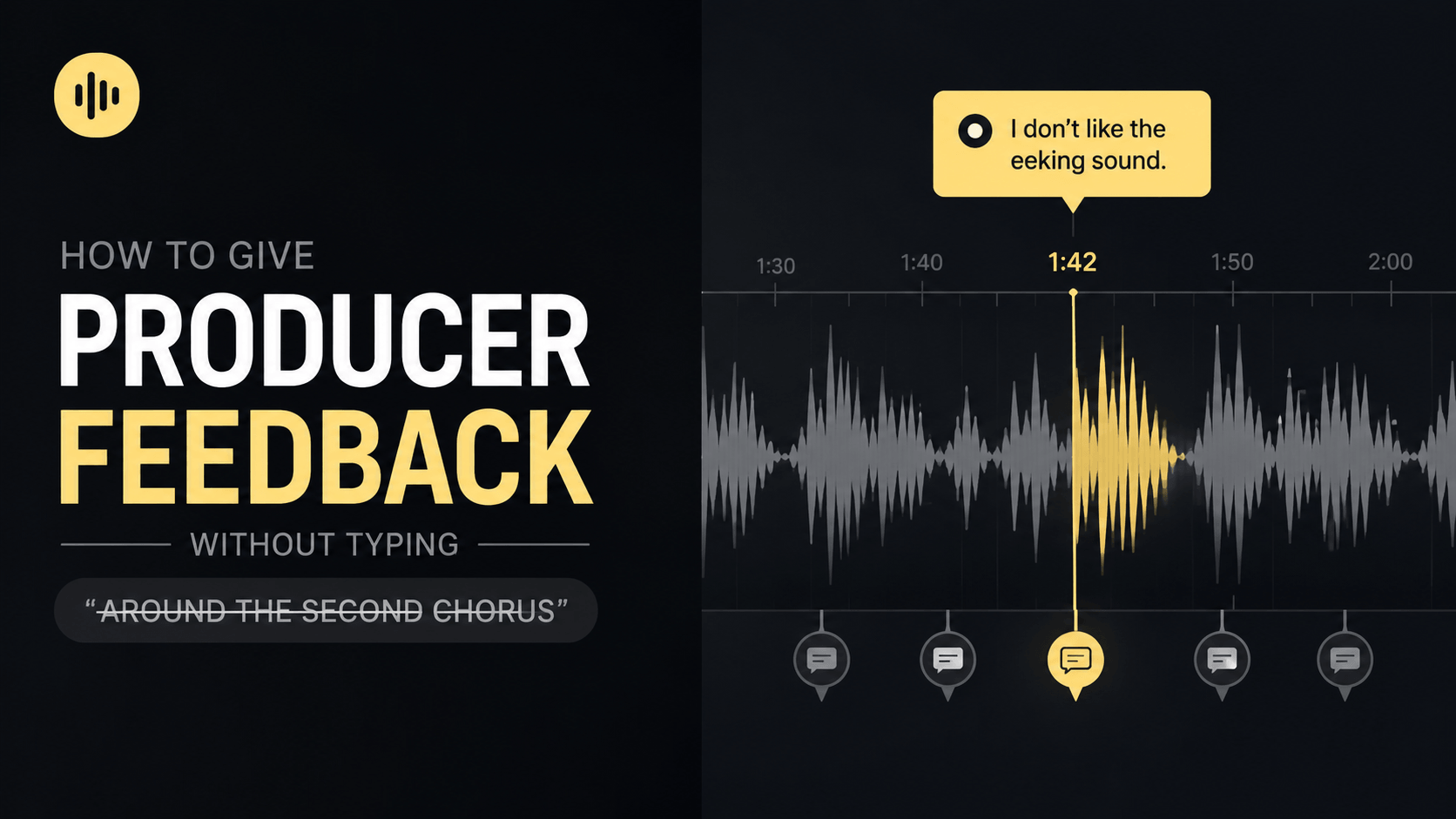
Pin feedback to the exact second it applies to. “The eeking sound at 1:42” becomes a comment sitting on the waveform at 1:42. Comments thread, resolve, and survive across versions.

Automatic version control

Every uploaded or compiled mix becomes a new version. The current one is always obvious. Previous ones are always retrievable. Compare any two side by side and revert in one click.

Royalty splits, locked up front

Set each collaborator's share at the start of the project. Everyone sees it, everyone confirms, it locks. When the song distributes through Freecords, the splits pay out the way they were agreed — no negotiation at release, no argument three months later.

Storage at cost

Traffic is paid by the people in the project at 4 Talents (about €0.04 / $0.04) per gigabyte per month, with no margin to Freecords. Anyone in the project can chip in. Billing stops when the project closes.
Upgrade

Simple Pricing

You can leave a collaboration at any time. When you do, you keep the stems you uploaded and the main mix as it stood the moment you left, plus the chat and history up to that point. Years from now, when the BBC is making the documentary about your illustrious creative career, the whole project is still there to walk through step by step.
Start a colloboration
Start a collaboration and invite the people you are working with. Everyone keeps using their own DAW.
Add stems
Upload stems, comments on the waveform at the exact second that matters, track every mix version automatically, and agree on the royalty split up front.
Distribute
When the song is done, distribute it through Freecords. The splits you agreed carry through to the payout automatically.

Pricing

Popular
Our most popular plan for small teams.
$0.14/GB/mth
Free to start a collaboration
Anyone in the project can contribute to the cost, split it however you like.
Storage is 12 Talents (about €0.12 or $0.14) per gigabyte per month
Billing only runs while the project is active. When you close or distribute the project, monthly charges stops.
Add unlimited collaborators
You keep your work. Distribute through Freecords or download your files when you are done.
Upgrade now
Latest posts

Latest About Jamline

Interviews, tips, guides, industry best practices, and news.
Jamline
July 14, 2026

How to Give a Producer Feedback Without Typing "Around the Second Chorus"

Most music feedback gets written like this: "make the chorus punchier" or "around the second chorus feels off" or "the bass thing in the middle." Sometimes it's accurate, but most of the time it'svague because describing a moment in music with words is hard. Two people listening to the same track will count choruses differently, hear "the middle" as different sections, or have different opinions on what "punchier" means.
Read post
Jamline
July 10, 2026

The Best Music Collaboration App Isn't a DAW: Here's What to Look For

Search for "music collaboration app" and the top results will be browser-based DAWs - Soundtrap, BandLab, Soundation. The category has been dominated by this approach for over a decade. It's also been the wrong approach for over a decade.
Read post
Support

Frequently asked questions

Everything you need to know about Jamline.
Is it free
Yes. Jamline is free to use - collaborating on stems costs nothing. The only thing you ever pay for is storage, if you choose to keep your files hosted with us long-term. Once a project is finalized, you have 30 days to download everything, free of charge. After that, if you'd like to keep your files stored on Freecords, storage costs 3 talents per gigabyte per week - 3 cents.
What is Jamline?
Jamline is Freecords' collaborative environment for music. It handles everything between a DAW bounce and a release — sharing stems, giving feedback, tracking versions, chatting, and agreeing on royalty splits. It is not a DAW and does not replace yours. Everyone keeps working in their own software and brings their stems together in Jamline.
Do I have to switch DAWs to use Jamline?
No. Jamline works with stems, and every DAW exports stems. The producer on Ableton, the vocalist on Logic, and the engineer on Pro Tools can all work in the same project without anyone changing tools or converting files.
How do I send stems to a collaborator?
Upload your stems to a Jamline project, organised into categories and substems, and invite your collaborator. They open the project and can play, solo, mute, and download what they need to work against in their own DAW. There are no expiring links and nothing gets lost in a chat thread.
How does feedback work?
You pin a comment to the exact second on the waveform where the issue is. Your collaborator sees the note at that moment, addresses it, and marks it resolved. Comments thread and survive across versions, so you can see whether something was fixed in the next mix.
What happens to all my different mix versions?
Jamline versions every mix automatically. Each uploaded or compiled mix becomes the current version, and previous versions stay retrievable with their full history — comments, chat, and the stems used. You can compare any two versions and revert in one click. No more folders full of files named FINAL_v3_USE_THIS_ONE.
How much does Jamline cost?
Starting a collaboration is free. Storage is 4 Talents (about €0.04 / $0.04) per gigabyte per month, paid at cost with no margin to Freecords. Anyone in the project can contribute to the cost, and billing stops when the project closes.
What happens to my work if I leave a collaboration?
You keep the stems you uploaded and the main mix as it stood the moment you left, along with the chat history and project log up to that point. You don't keep the separated stems other people uploaded. If you ever come back to it, the full project history is still there to revisit.
How do royalty splits work?
When you create a project, you assign each collaborator a percentage. Everyone sees the same numbers and confirms, and the split locks. When the song is distributed through Freecords, the splits carry through to the payout automatically. Agreeing up front means there's no negotiation at release and no argument later.
Can I use Jamline if my collaborator and I are in different countries?
Yes. Jamline is built for remote collaboration. Everyone works in their own DAW wherever they are, brings their stems into the shared project, and the feedback, versions, and chat keep everyone in sync regardless of location or time zone.
Does Jamline work for bands, or just producers and vocalists?
Both. A solo producer working with a single vocalist and a full remote band with a separate mix engineer use Jamline the same way — one project per song, stems organised by category, feedback on the waveform, and splits agreed at the start.
Do I lose my messages and songs after the collaboration is over
No. Your messages and files stay on Freecords for as long as your storage is active. When you finalize a project or stop paying for storage, you have 30 days to download your full chat history and project files before they're removed.
What is your cancellation policy?
We understand that things change. You can cancel your plan at any time.
How does billing work?
Billing uses Talents, Freecords' in-house currency. 100 Talents costs €1, and you can buy Talents anytime from your dashboard. Storage is a shared cost, so anyone in a collaboration can chip in toward it at any time - it doesn't all have to come from one person.
Avatar photoAvatar photoAvatar photo
Ready to finish something together?
Start a collaboration for free and bring in the people you're working with. Keep your DAW. We'll handle the rest of it.